Purchase Additional Storage for Google Drive, Business Gmail (Google Workspace / G Suite): Issues and Solutions
If you are using a business Gmail / Google Drive account (on G Suite Basic, G Suite legacy, Google Workspace Business Starter versions) with storage limited to 15 GB or 30 GB and want to add more, purchase additional storage for these accounts butcannot do sothen this information and solution is for you. Previously, users couldpurchase additional Google Drive storage packages (100 GB, 200 GB, 1TB…) by adding a VISA card or paying via Momo and manage purchased storage packages on the Google Drive storage management page as shown in the image below:
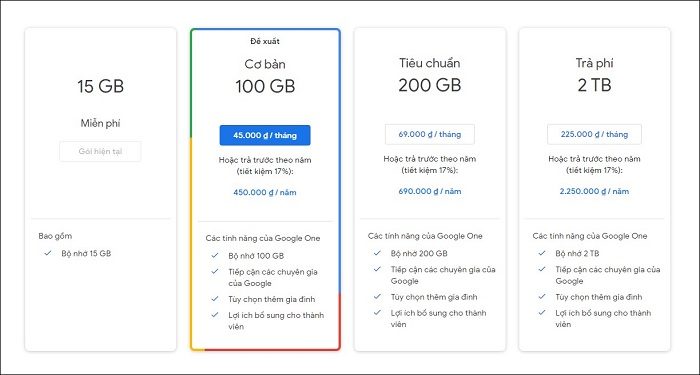 Previously, users could purchase additional Google Drive storage packages (100 GB, 200 GB, 1TB…) Or users could also contact the Administrator or Google Workspace/G Suite provider to receive additional storage packages such as 30 GB, 100 GB, 200 GB…
 Users currently have no option to purchase additional storage when logging into the Google Drive storage management page
 Administrators also have no option to purchase additional Google Drive storage packages when logging into the add-on services management page.
Let Best Care help you solve this problem:
Solution 1.First, you can delete emails and documents on Google Drive that are large but unnecessary; this will free up quite a bit of storage. You can filter emails with large sizes to delete according to the instructionshttps://support.google.com/mail/answer/7190?hl=viand filter large files on Google Drive at the link:https://drive.google.com/drive/quota
Note:
Administrators also have no option to purchase additional Google Drive storage packages when logging into the add-on services management page.
Let Best Care help you solve this problem:
Solution 1.First, you can delete emails and documents on Google Drive that are large but unnecessary; this will free up quite a bit of storage. You can filter emails with large sizes to delete according to the instructionshttps://support.google.com/mail/answer/7190?hl=viand filter large files on Google Drive at the link:https://drive.google.com/drive/quota
Note:
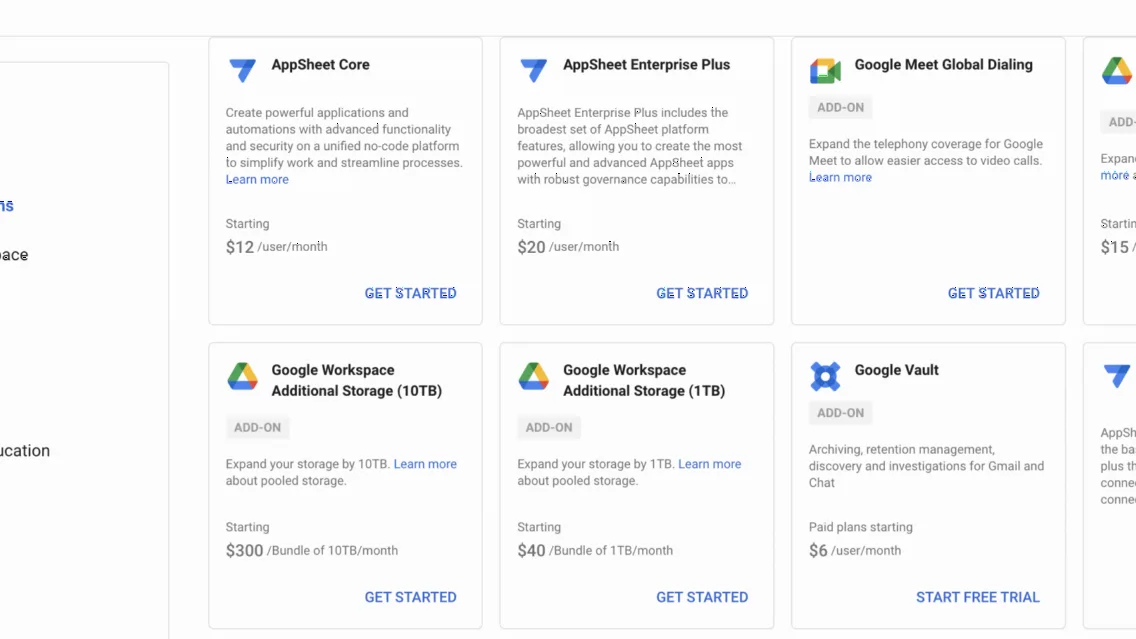
 Purchase additional storage packages directly for user storage (100GB, 1TB, 10TB) of Google Workspace through providers.
Solution 3.Upgrade to one of the higher versions to get more storage, for example:
Purchase additional storage packages directly for user storage (100GB, 1TB, 10TB) of Google Workspace through providers.
Solution 3.Upgrade to one of the higher versions to get more storage, for example:
Previously, users could purchase additional Google Drive storage packages (100 GB, 200 GB, 1TB…) Or users could also contact the Administrator or Google Workspace/G Suite provider to receive additional storage packages such as 30 GB, 100 GB, 200 GB…
However, according to Google's recent update in May 2024, users will no longer be able to purchase additional storage on their own accounts, and Administrators or providers cannot upgrade storage for users either. Details at: https://support.google.com/a/answer/12005619.This unexpected change has caused confusion and difficulties for many individuals/businesses when storage is full, leading to work interruptions due to inability to receive new emails, upload more data to Drive, sync between Drive and computer…
Users currently have no option to purchase additional storage when logging into the Google Drive storage management page
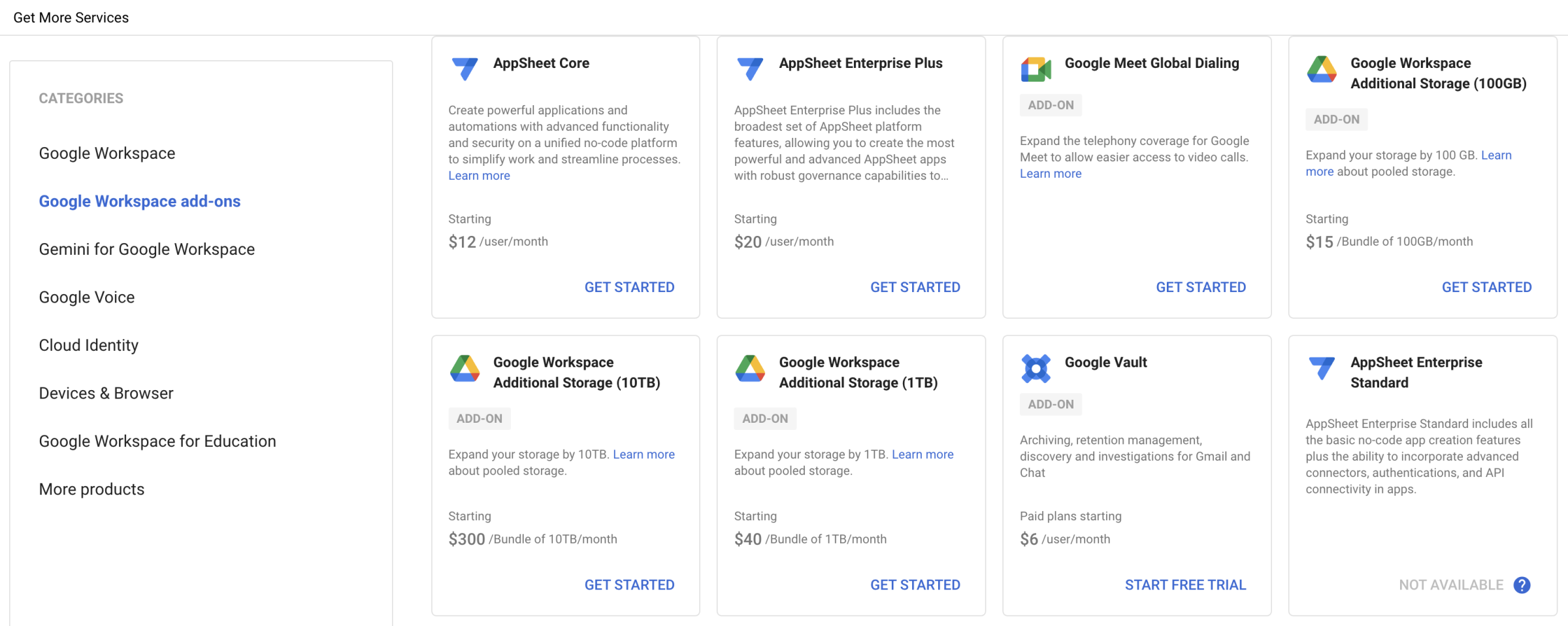
Administrators also have no option to purchase additional Google Drive storage packages when logging into the add-on services management page.
Let Best Care help you solve this problem:
Solution 1.First, you can delete emails and documents on Google Drive that are large but unnecessary; this will free up quite a bit of storage. You can filter emails with large sizes to delete according to the instructionshttps://support.google.com/mail/answer/7190?hl=viand filter large files on Google Drive at the link:https://drive.google.com/drive/quota
Note:
- - Consider backing up data to your computer before deleting
- - Deleted data will be saved to trash; you need to continue deleting data in trash to free up storage
Purchase additional storage packages directly for user storage (100GB, 1TB, 10TB) of Google Workspace through providers.
Solution 3.Upgrade to one of the higher versions to get more storage, for example:
- + Upgrade from G Suite legacy to Google Workspace Business Starter to increase storage from 15 GB to 30 GB per user.
- + Upgrade from Google Workspace Business Starter to Google Workspace Business Standard to increase storage from 30 GB to 2 TB per user (or 1 TB if you have 1-4 users). Or you can upgrade a minimum of 18% of Users / Accounts to move to a higher plan.