How to post a new post on WordPress website

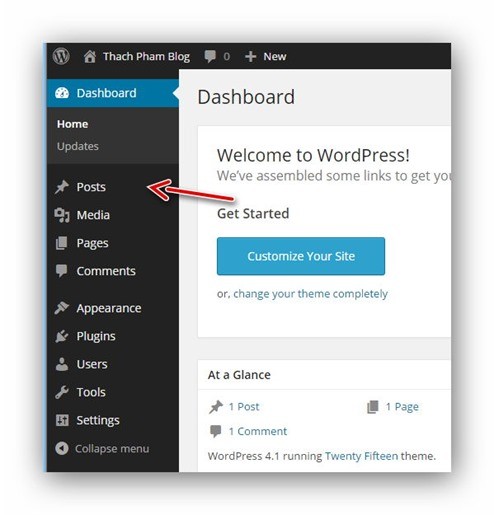
To post a post, you accessWordPress Dashboard, click on the menuPostson the left side.
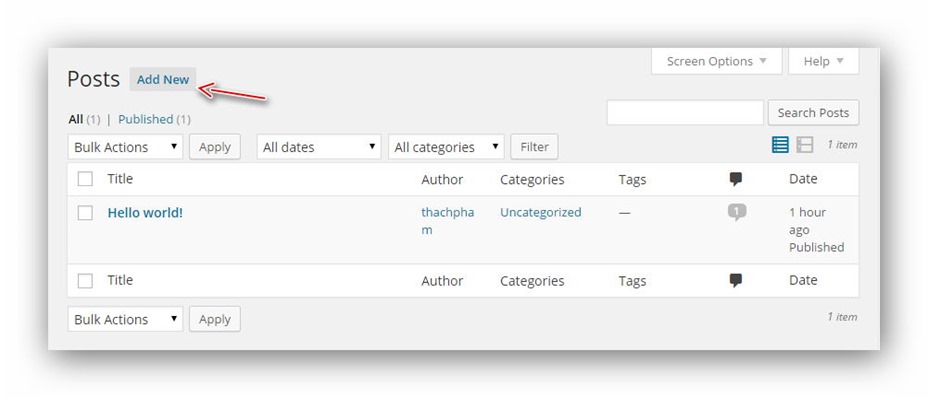
 You will be taken to the page managing existing posts on your website, where you will see the post named "Hello world!" that you see displayed on the website homepage. To create a new post, click the Add New button right above it.
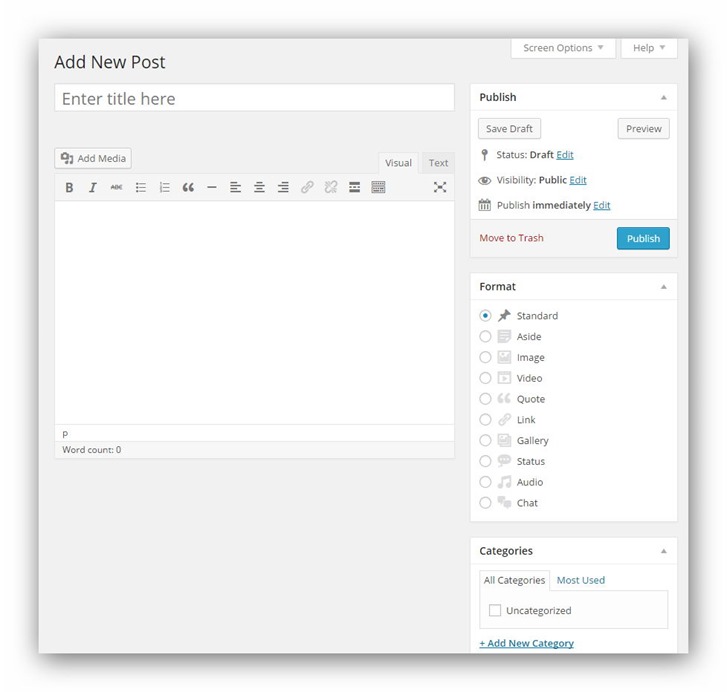
 Here, you will see the interface of the post creation/editing page in WordPress including the area to enter the post title, post content, editor box, select category, enter tags (classification tags), post format (format)...etc.
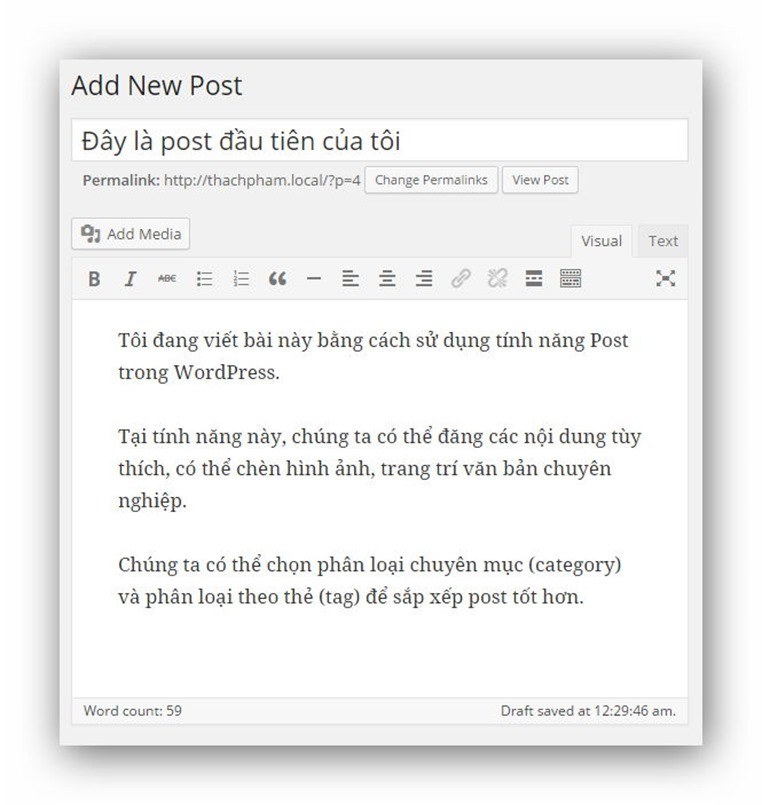
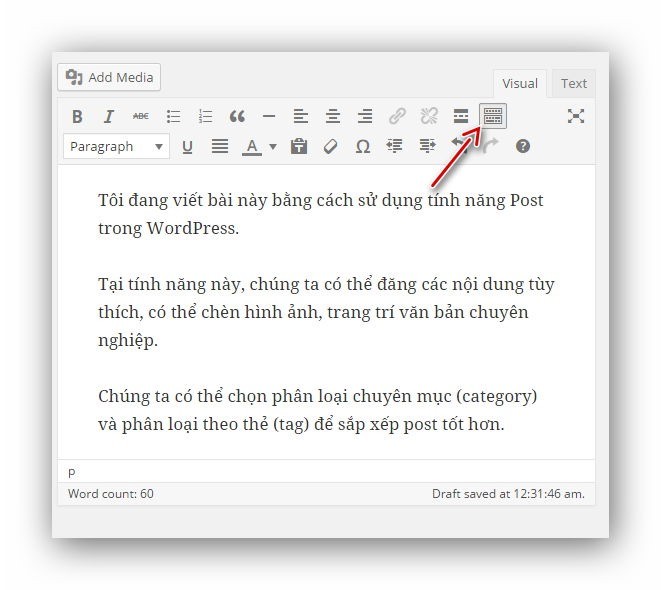
 Now you can type your post title and content as you like, for example:
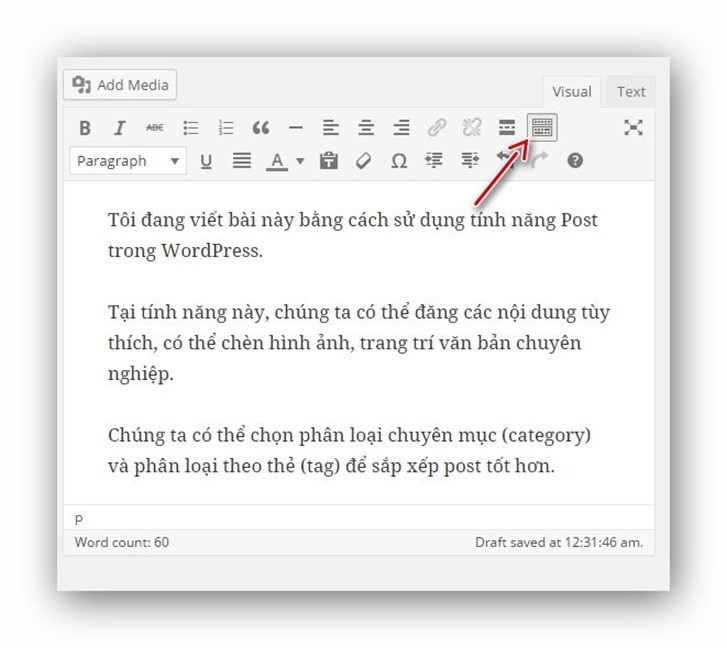
 If you find the functions on the editing panel a bit limited, you can click the expand button on the right side to reveal more useful features.
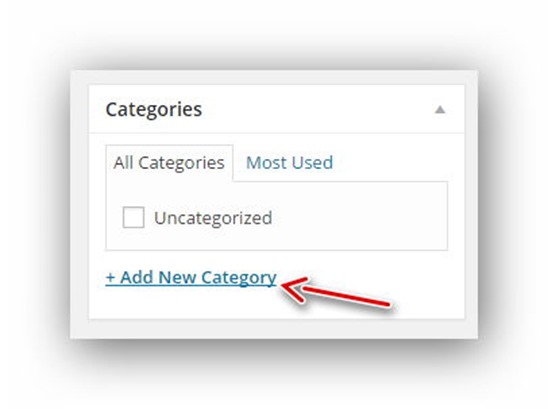
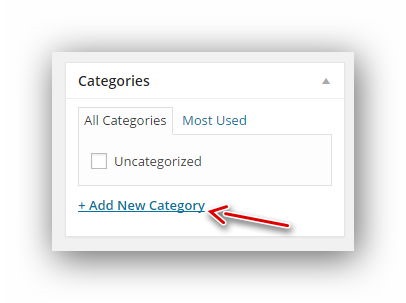
 When writing a post, the most important thing is that you must put the post into an appropriate category, which in WordPress is calledCategory. You scroll down to the Categories section on the right side of the post editor page and click Add New Category to create a new category.
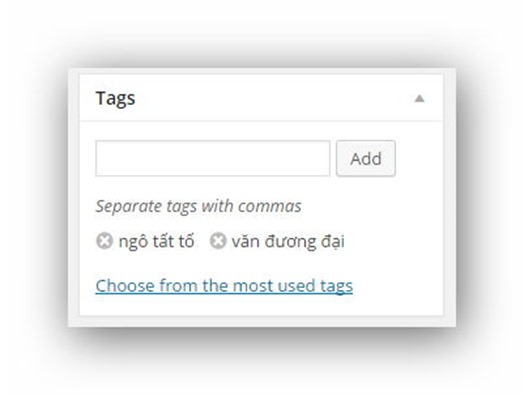
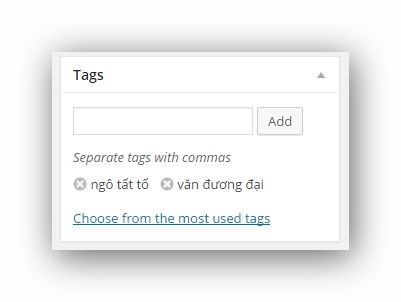
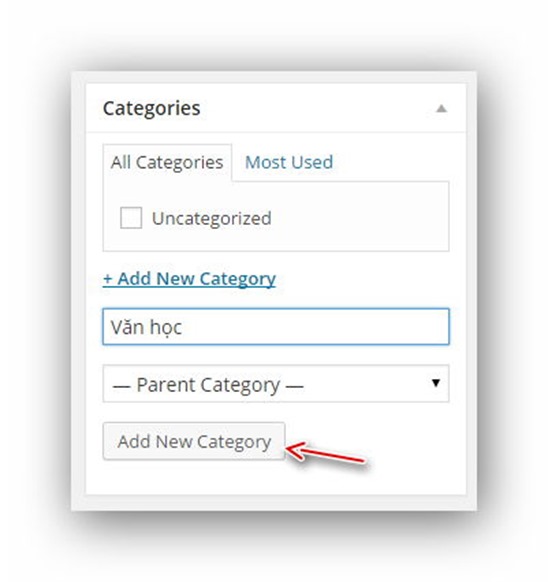 And now you can select the newly created category to put your current post into that category. Next is theTagBelow, tags are also a function to categorize posts but are typically used on a broader scale. For example, if you post an article by Ngô Tất Tố in the Literature category, you can add tags like Ngô Tất Tố, contemporary literature, etc.
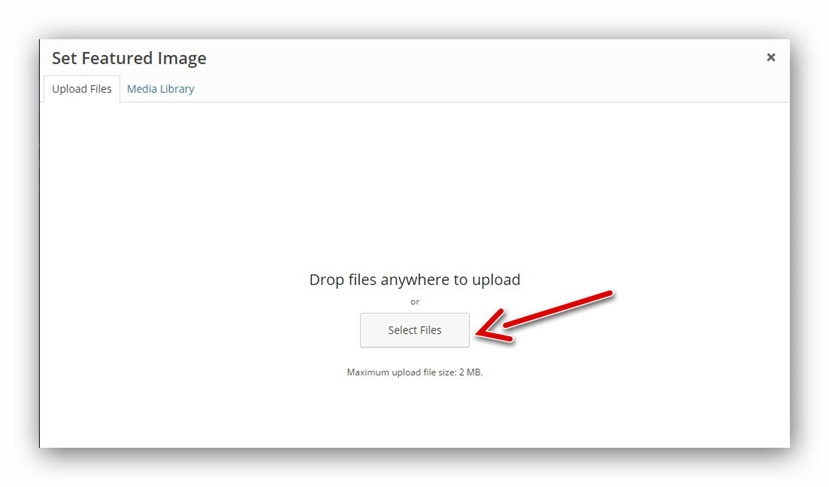
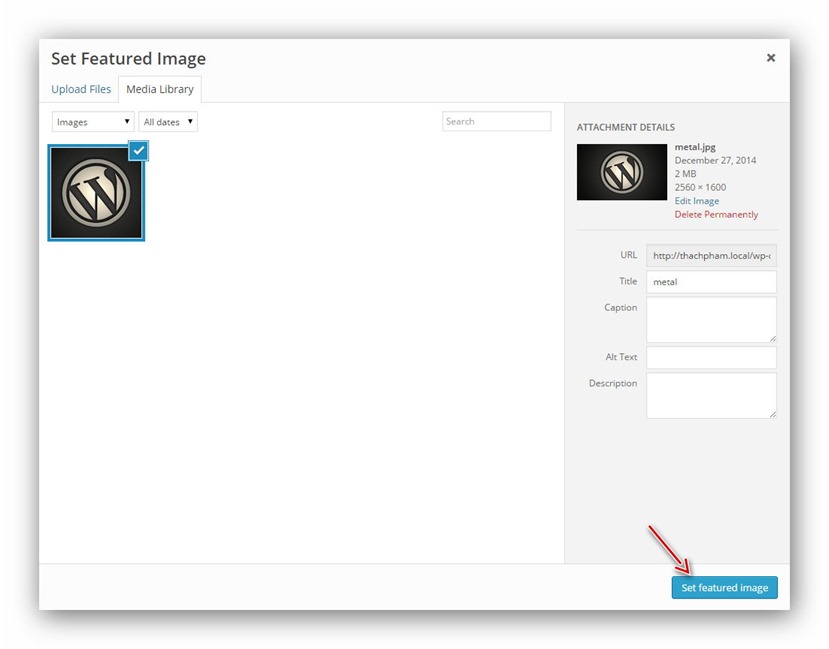
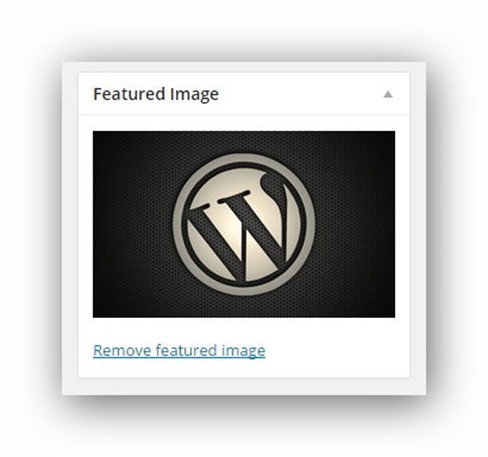
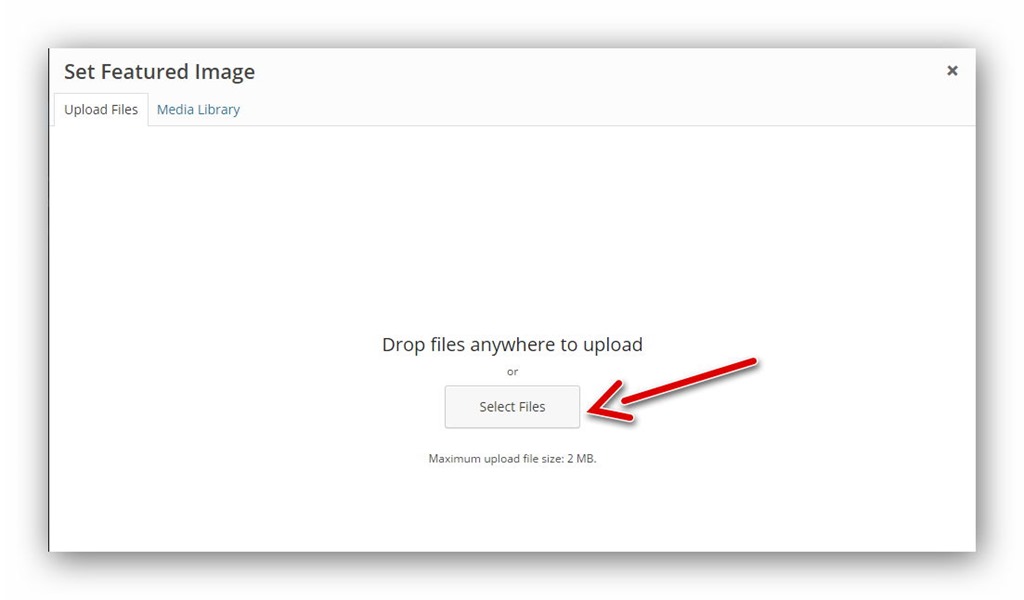
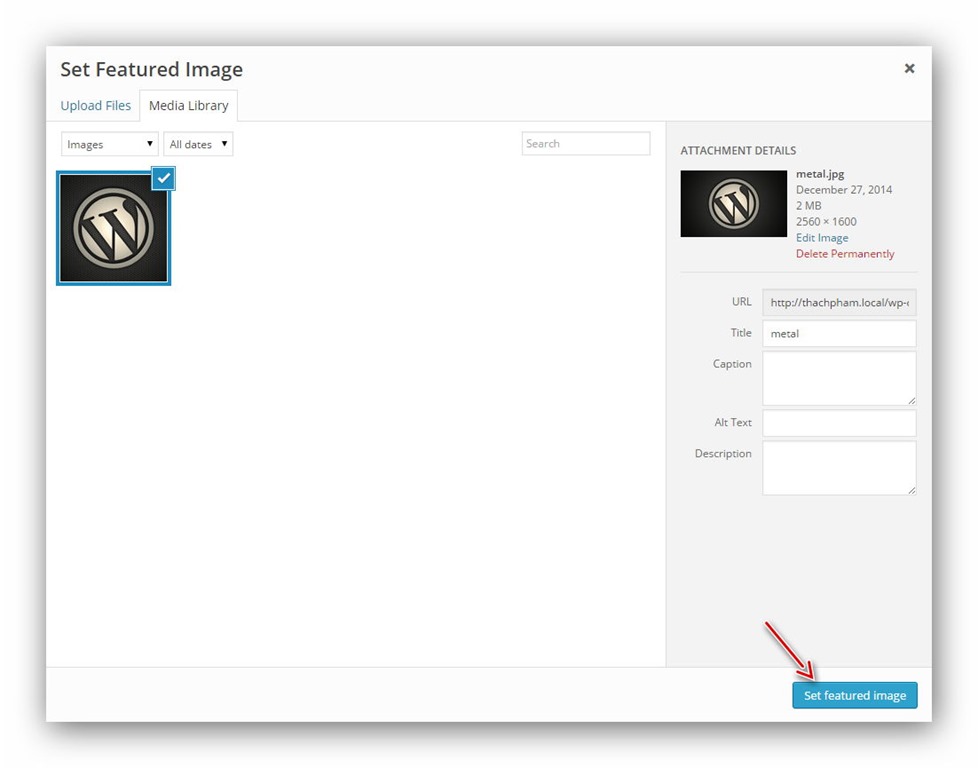
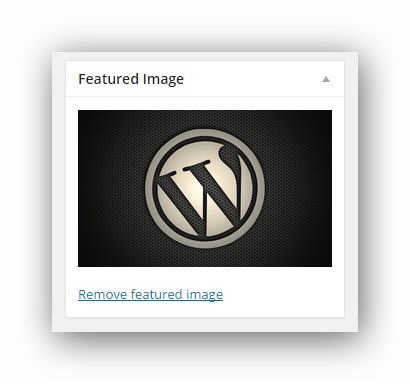
 The last section isFeatured Image,which is the featured image for this post. Although you can add multiple images to a post using the Add Image feature in the editor, Featured Image is typically used to display a representative image for each post, and many themes and plugins will use this feature to show the featured image for each post. You can click the Set featured image button to add a featured image by uploading one.
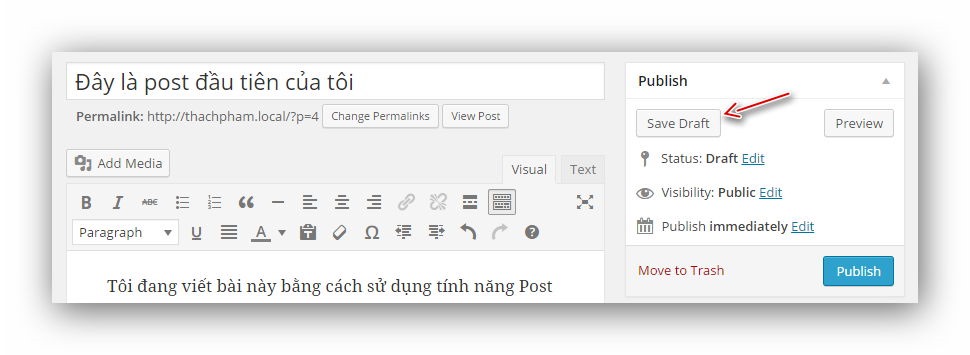
 Alright, for now click the Save Draft button to save this post as a draft.
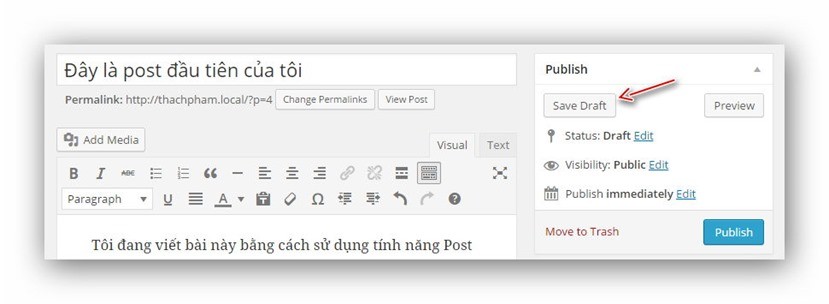 Or click thePublishbutton to publish this post to your website. After publishing, when you visit your website's homepage, you'll see the newly published post.
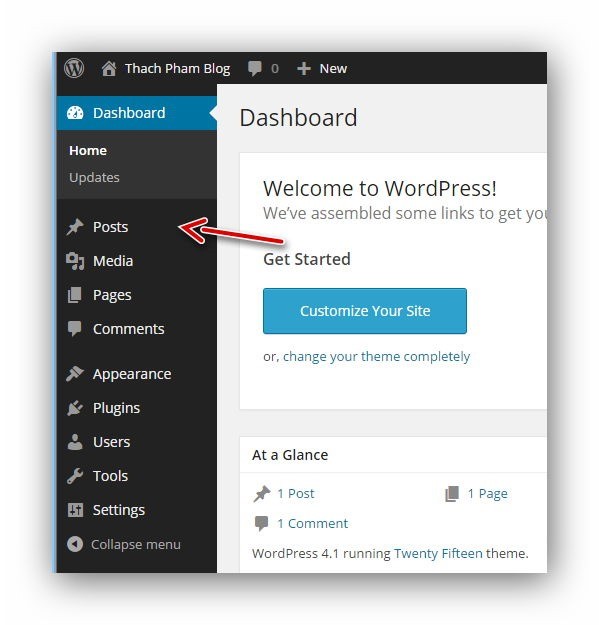
Posts menu on Dashboard
 Here, you will see the interface of the post creation/editing page in WordPress including the area to enter the post title, post content, editor box, select category, enter tags (classification tags), post format (format)...etc.
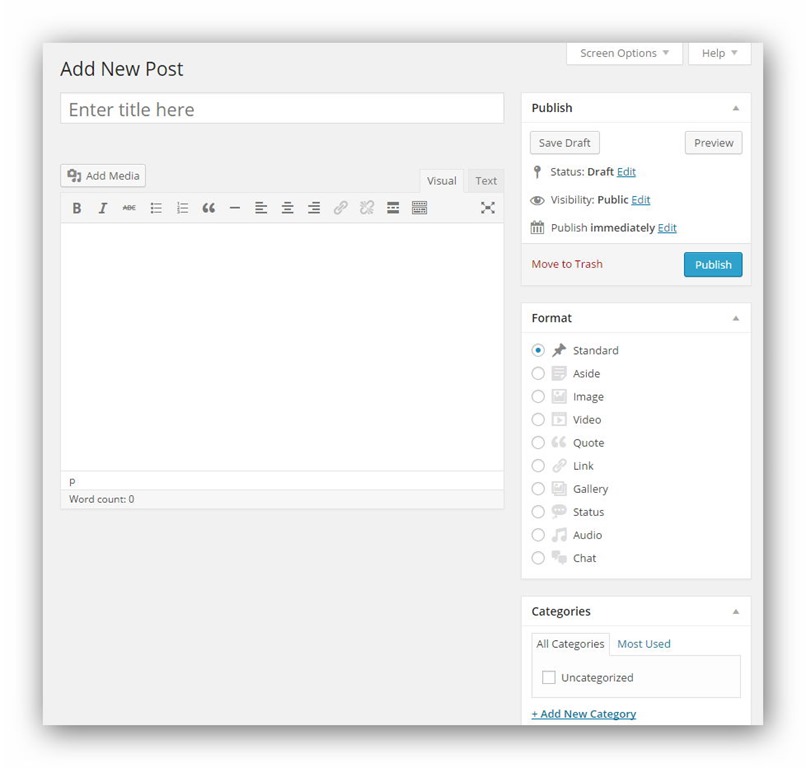
Post Editing Panel
 If you find the functions on the editing panel a bit limited, you can click the expand button on the right side to reveal more useful features.
 When writing a post, the most important thing is that you must put the post into an appropriate category, which in WordPress is calledCategory. You scroll down to the Categories section on the right side of the post editor page and click Add New Category to create a new category.
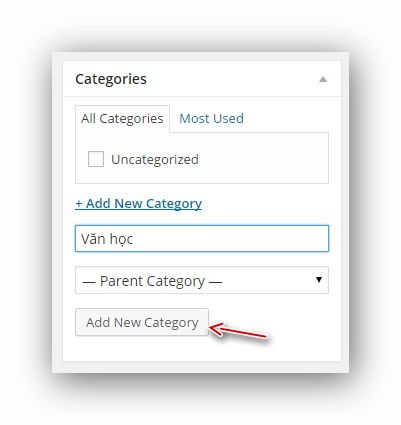 And now you can select the newly created category to put your current post into that category. Next is theTagBelow, tags are also a function to categorize posts but are typically used on a broader scale. For example, if you post an article by Ngô Tất Tố in the Literature category, you can add tags like Ngô Tất Tố, contemporary literature, etc.
 The last section isFeatured Image,which is the featured image for this post. Although you can add multiple images to a post using the Add Image feature in the editor, Featured Image is typically used to display a representative image for each post, and many themes and plugins will use this feature to show the featured image for each post. You can click the Set featured image button to add a featured image by uploading one.
 Alright, for now click the Save Draft button to save this post as a draft.
 Or click thePublishbutton to publish this post to your website. After publishing, when you visit your website's homepage, you'll see the newly published post.