Google Workspace Enables Sign-In with Passkeys
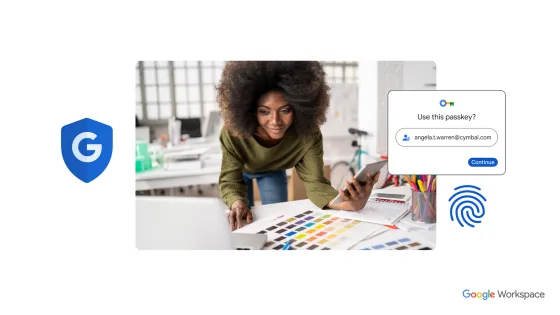
Starting June 6, in Beta version, Google allows its users to sign in to their Google Workspace accounts using passkeys instead of passwords.
What are Passkeys on Google Workspace?
Passkeys are a passwordless sign-in method that allows users to sign in using fingerprint, face recognition, or other screen lock mechanisms on their phone or computer, available in Android, ChromeOS, iOS, macOS, and Windows operating systems.Passkey advantages
- Passkeys use anti-phishing technology and are simpler and more secure than passwords.
- Users can use a familiar pattern to unlock their device.
- Synchronize passkeys across devices using your Google Account.
- Instead of remembering passwords for different websites, users can use passkeys.

How to enable Passkey sign-in on Google Workspace
Workspace administrators can now allow users to use passkeys to skip passwords when signing in to Workspace applications. Passkeys provide a simpler and more secure alternative solution, while potentially reducing the impact of phishing attacks and other social engineering attacks. To allow users to skip passwords and use Passkey verification codes, you need to enable password bypass. Then, tell users that they need to enable password bypass and add a passkey to their account. Step 1:Sign in andAdmin Googlewith your highest-level administrator account Step 2:Then go to Security → Authentication → Passwordless Step 3:Here, look to the right and check the Password bypass option, then save
 You have now successfully enabled Passkey authentication for your Google Workspace users.