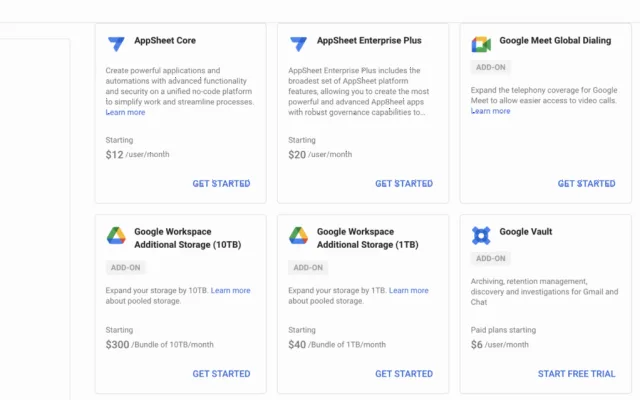
Previously, users could purchase additional Google Drive storage packages separately, increasing from 100 GB to 1TB and beyond. The process ofupgrading storage capacitywas quite simple, you only needed to use a VISA card or MOMO to complete the payment procedure. Alternatively, users could also contact the administrator or Google's service provider to increase their storage package. However, recently, Google has changed its policy. Users will no longer be able to purchase additional storage for their existing accounts, and even Google administrators or partners cannot intervene. Because of this new Google policy, many individuals and businesses have faced difficulties and confusion when unable to handle full storage. Work is interrupted, unable to receive new emails, unable to upload additional data needed to be stored on Drive, unable to sync between computer and Drive, etc.

Guide to upgrading storage capacity for Google Drive/Gmail business accounts
Delete unnecessary data
To temporarily resolve this issue, you can delete emails and documents you no longer need on Google Drive. Additionally, you can also filter out emails and drives with large storage sizes. This will help you free up considerable storage space. Note:- Before deleting data, users should consider backing up to their computer.
- To completely free up storage space, you need to delete data from the trash folder.

Upgrade account to a higher Google Workspace version
Besides having to delete important data, you can proceed to upgrade to a higher Google Workspace versionWorkspace Business higher to suit your needs:- Google Workspace Business Starter plan: 30GB storage per user
- Google Workspace Business Standard plan: 2TB storage per user
- Google Workspace Business Plus plan: 5TB storage per user
- Google Workspace Enterprise plan with unlimited storage.
Use the Pooled Storage feature in Google Workspace
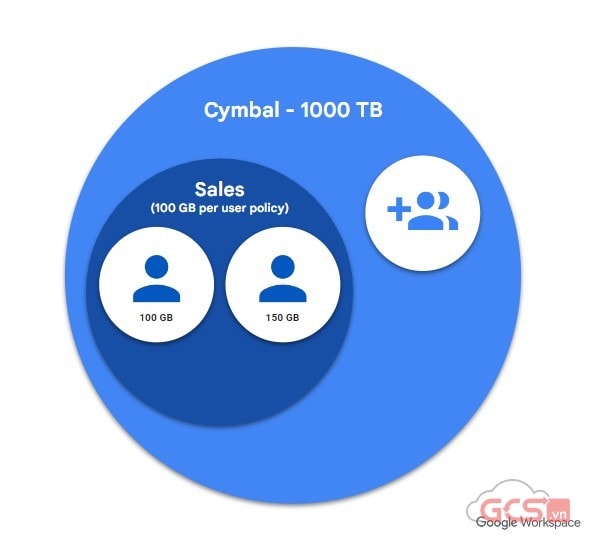
Since each user's storage needs within an organization differ, Google has updated its policy to give admins the ability to allocate storage to individual users. Specifically, this feature applies starting from the Google Workspace Business Standard plan and above.
Note:
- Người dùng tài khoản cá nhân có đuôi @gmail.com không bị ảnh hưởng bởi chính sách này.
- If you have already purchased or purchased through a Google Workspace administrator or reseller, you can contact Best Care for support with new registration or upgrading to higher storage.