Recently. If you haven't read the notification from Admin mail and you open your personal email or your organization's Google Workspace Admin account and see notifications like below or similar notifications, what do you need to do to restore them?
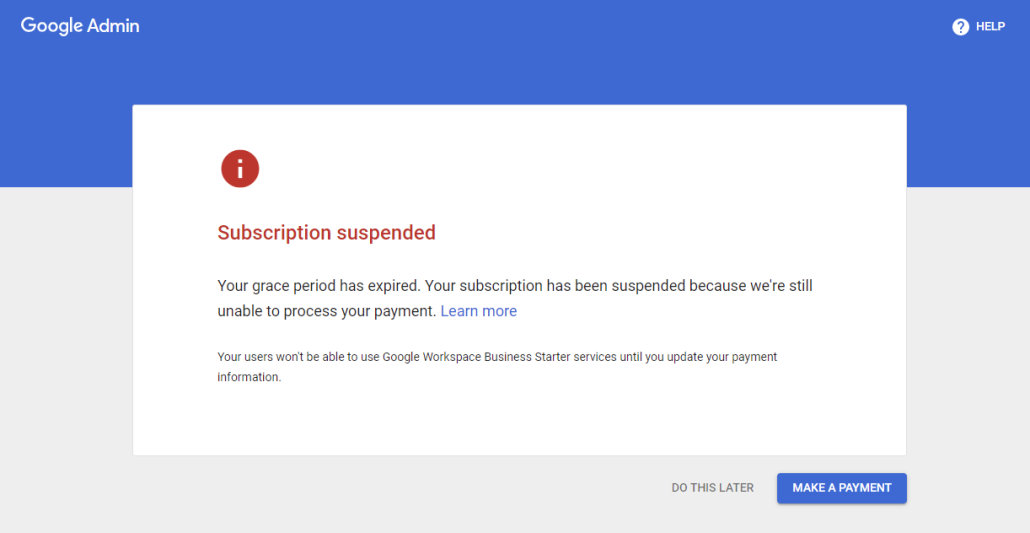 When you receive error notifications like the above, your organization or business may have fallen into one of the following causes:
 What you need to do right now is contact the person in charge of personnel or the person holding the administrator account of your Google Workspace plan for support. OR
- Your organization’s Google Workspace account has been suspended. Please contact your Google Workspace Organization Administrator to re- activate your organization.
- We are sorry, but your 14-day trial for Google Workspace has ended. Please subscribe in order to continue using Google Workspace.
- Sorry, you do not have access to Gmail. Please contact your organization's administrator for access.
- Your organization's Google Workspace account has been suspended. Please contact your organization's Google Workspace administrator to reactivate the account.
- We are sorry, but your Google Workspace account has been suspended due to payment failure. Payment failures happen for a variety of reasons (e.g insufficient funds, expired card). You can update your payment information or add a new form of payment to resolve the issue by going to the Billing page. For instructions, you can refer to this Google Help article about payment.
- Note that your users will be unable to use Google Workspace services like Gmail until you enable a form of payment for automatic charging.
When you receive error notifications like the above, your organization or business may have fallen into one of the following causes:
- Your organization or business has not renewed the service maintenance fee with Google, resulting in your Google Workspace account being suspended.
- Your business's 14-30 day trial Google Workspace account registered recently has expired.
- Finally, your organization previously used the G Suite Legacy (or also known as free Google Apps) which Google has announced it will discontinue support for this version from February 2022. Accordingly, Google has also sent email notifications requiring organizations to upgrade to the paid version (specifically Google Workspace) which Google currently offers including Google Workspace Business Starter, Business Standard, Business Plus or Enterprise Standard, Enterprise Plus versions.
What you need to do right now is contact the person in charge of personnel or the person holding the administrator account of your Google Workspace plan for support. OR
- If you are an administrator, please contact Best Care – Google's official authorized partner by calling 092 777 4464. We will help answer all your questions and advise you on the most suitable solutions.
- Or if you no longer remember your Admin Email or Admin Password, Best Care can recover your account for you (success rate approximately 80%). Contact Best Care immediately at 092 777 4464 for consultation and account recovery support.